Two ways to play on your phone — and what happens next
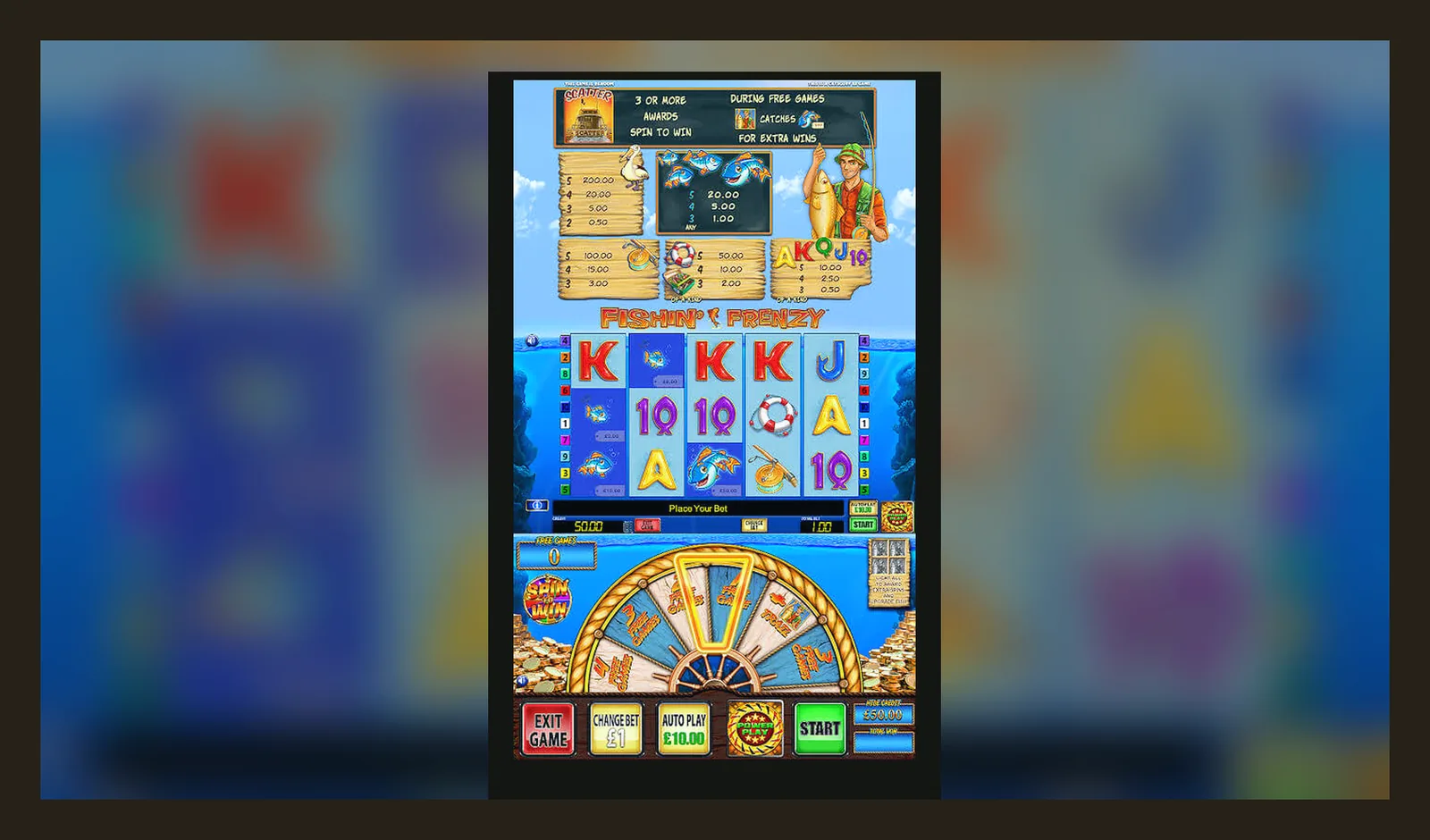
You've got two paths: open it in your phone's browser and add a shortcut to your home screen, or download the casino's full app if they've built one. The first route takes two minutes and uses almost no storage. The second gives you a dedicated app with push notifications and sometimes faster loading, but you're trusting that operator's licence and security. Either way, you're not downloading Fishin Frenzy itself — the game runs on the casino's platform, and every UKGC-licensed site must list its licence number in the footer.
This page walks through both methods step by step, explains what your phone will ask for, shows you the first 10 minutes of play, the first hour, and the first week, and flags the risks of APK files and fake clones. The game's been live since 2014, and mobile play overtook desktop around 2018, so the browser version is as polished as the app.
What you're actually installing
Fishin Frenzy isn't a standalone app. It's a slot built by Blueprint Gaming and licensed to dozens of UKGC operators. When you «download the app», you're installing the casino's wrapper — the game itself streams from Blueprint's servers. That means your experience depends on which operator you pick: some have slick apps with biometric login and one-tap deposits via Apple Pay, others run a mobile-optimised website that you bookmark.
The numbers above are illustrative — each operator's app has its own Play Store or App Store listing, and Blueprint doesn't publish a direct player-facing app. The game itself updates server-side, so you won't see a «Fishin Frenzy v2.3» patch note; the operator's app updates to fix bugs in login, payments, or the lobby.
Four install paths and their trade-offs
Here's how each method works, what your phone will do, and where the risks sit.
- Browser play (instant): Open Safari or Chrome, navigate to the casino's site, tap the game tile. No install, no permissions, nothing saved. The downside: you'll log in every time, and the browser's address bar eats screen space. If you clear your cache, any settings reset.
- Add to Home Screen (2 minutes): Open the casino in Safari (iOS) or Chrome (Android), tap Share > Add to Home Screen (iOS) or menu > Add to Home Screen (Android). You get an icon that opens the site in a chromeless window — looks like an app, behaves like a bookmark. Storage: ~1 MB for the icon. Risk: none, it's just a shortcut. The casino still runs in the browser.
- Operator's official app (5 minutes): Search the casino's name in the Play Store or App Store, download, open, log in. The app may ask for notifications, camera (for ID upload), and location (geofencing to confirm you're in the UK). Storage: 12–20 MB. Risk: you're trusting that operator's data handling. Check the UKGC register before you install — the licence number should match the one in the app's footer.
- APK from a third-party site (high risk): Android lets you sideload apps outside the Play Store by enabling «Install from unknown sources». This is how fake clones spread. An APK might log your card details, inject ads, or install malware. Legitimate UKGC operators don't distribute APKs directly — they use the official stores. If you see a «Fishin Frenzy APK» download link, it's not real.
The first 10 minutes, the first hour, the first week
First 10 minutes: You open the game, the loading screen shows a cartoon fisherman, and the reels appear in portrait mode (most players rotate to landscape for the full 5×3 grid). The controls sit at the bottom: stake adjuster on the left (£0.10 to £5.00 per spin, or £2.00 if you're 18–24), spin button centre, paytable and settings on the right. You tap the stake, pick £0.20, hit spin. The reels spin for two seconds, you land a few fish symbols, win £0.40. The balance ticks up. You spin again, lose, spin again, trigger the free spins. A pelican appears, the backdrop changes to open water, and you get 10 spins with all fish prizes multiplied by ×2 or ×3 if you land fishermen on reels 2, 3, or 4. The feature pays £8.60. You're up £9.00 in total, eight minutes elapsed.
First hour: You've gone through £20.00 in deposits (debit card, instant), hit the free spins three more times, and your balance is £14.50. The game doesn't vary its pacing — every spin takes the same two seconds, the feature triggers every 80–120 spins on average, and the RTP sits at 96.05% regardless of how long you play. You try adjusting the stake to £1.00, win a £47.00 feature, then lose nine spins in a row. That's high volatility: the game pays infrequently but in larger chunks. Your session history (accessible via the menu) shows 180 spins, £20.00 wagered, £14.50 returned. You stop, and the app remembers your stake and last position when you reopen it.
First week: You've logged in four times, deposited £50.00 total, withdrawn £30.00. The first withdrawal took 48 hours because the operator needed your passport scan and a bank statement (standard KYC under UKGC rules — they must verify your identity and address before paying out). The second withdrawal, three days later, cleared in six hours via Faster Payments. You've registered for GAMSTOP's six-month block after a £70.00 loss in one session, and the app logged you out automatically. That's the system working: self-exclusion is instant across every UK-licensed site, and the casino can't reopen your account until the block expires.
What your phone needs and what the app does
Phone requirements: iOS 13 or later, Android 8 or later. A stable 4G or Wi-Fi connection (the game streams video assets, so 3G will stutter). Screen: any size from 4.7 inches up, but 5.5 inches or larger makes the paytable readable without zooming. Storage: 50 MB free for the casino app and cached game assets. Processing: any phone from the last five years will run it — the game's graphics are 2D sprites, not 3D renders.
What the app does: Logs you in (username and password, or biometric if the operator supports it), shows the casino lobby, opens Fishin Frenzy in a WebView or native wrapper, handles deposits and withdrawals via the operator's payment gateway, sends push notifications for bonuses or responsible gambling reminders, and stores your session token so you don't log in every time. The game itself runs server-side — your phone just displays the result of each spin and sends your stake and spin command back to Blueprint's RNG.
- Permissions it should ask for: camera (for ID uploads during KYC), notifications (for bonus alerts), location (geofencing to confirm you're in the UK).
- Permissions that are a red flag: contacts, SMS, phone logs, microphone (outside of customer support calls), full file access. A slots app doesn't need to read your texts or address book.
- Data it collects: email, name, date of birth, address, payment method, deposit and withdrawal history, gameplay logs (spins, stakes, wins, session length). This is mandatory under UKGC anti-money laundering rules, not optional.
How to spot a fake and what's new
Fake clones: Search «Fishin Frenzy» in the Play Store and you'll see a handful of apps with similar names (Fishin Frenzy Free Slots, Fishin Frenzy Casino, Fishin Frenzy Jackpot). Most are reskins or ad-supported copies that don't connect to real-money play. The tells: no mention of a UKGC licence in the description, no operator branding (like «powered by Bet365» or «Gala Casino»), and reviews that mention ads or in-app coin purchases instead of real deposits.
- Check the developer name: it should be the casino operator (Entain, Flutter, Rank Group, etc.), not «Fishin Frenzy Games Ltd» or a generic studio.
- Check the app's content rating: legitimate gambling apps are rated 18+. If it's rated 12+ or «for everyone», it's a play-money clone.
- Check the footer in the app: every UKGC-licensed site must display its licence number and a link to the UKGC register. If you don't see that, close the app and delete it.
- Check the permissions: a slots app asking for SMS access or contact-list access is harvesting data, not running a game.
What's new: Blueprint updates the game server-side, so there's no «version 2.0» you download. The most recent change (mid-2025) added a quick-spin toggle that cuts the reel animation from two seconds to one, and a volume slider in the settings. The core maths — RTP 96.05%, hit frequency 22%, max win 2,500× — hasn't changed since launch. Operator apps get quarterly updates for things like faster payment integration (Open Banking went live on most UKGC sites in late 2023) and improved KYC flows (some now use facial recognition instead of manual document checks).
| Method | Time | Storage | Risk | Best for | |
|---|---|---|---|---|---|
| Browser (instant) | 0 min | 0 MB | None | Trying the demo | → |
| Add to Home Screen | 2 min | 1 MB | None | Regular play, no clutter | → |
| Official operator app | 5 min | 12–18 MB | Low (verify licence) | Push notifications, biometric login | → |
| APK from third-party site | 10 min | 20–50 MB | High (malware, data theft) | Never — use official stores | → |
FAQ
Can I play Fishin Frenzy on my phone without downloading anything?
Yes. Open the casino's website in Safari or Chrome, tap the game tile, and it runs in the browser. You can add a home-screen shortcut (Share > Add to Home Screen on iOS, menu > Add to Home Screen on Android) to skip the browser chrome, but the game itself streams from the operator's server — nothing installs on your phone beyond a 1 MB bookmark icon.
Is it safe to download a Fishin Frenzy APK from a third-party site?
No. Legitimate UKGC-licensed operators distribute their apps through the Play Store and App Store only. An APK from a random website could log your payment details, inject ads, or install malware. If you want the game on Android, search the casino's name in the Play Store, check the developer matches the operator, and verify the UKGC licence number in the app's footer before you log in.
Why does the casino app ask for my location?
UKGC rules require geofencing — the operator must confirm you're physically in the UK before you can place a real-money bet. The app checks your GPS or IP once per session. If you're abroad, the app will block deposits and gameplay until you return. Some operators also use location data for affordability checks (cross-referencing your postcode with credit-reference agencies), which start at £150 net deposits a month.
How long does the first withdrawal take, and why do they need my documents?
The first withdrawal takes 24–48 hours because the operator must verify your age, identity, and address under UKGC anti-money laundering rules. They'll ask for a passport or driving licence and a recent bank statement or utility bill. Once that's approved, later withdrawals via Faster Payments clear in a few hours to two working days. E-wallets like PayPal are faster (often same-day), but debit-card withdrawals can take one to three days.